

Technical support
Network, Workstation, Application, and Login Checklist
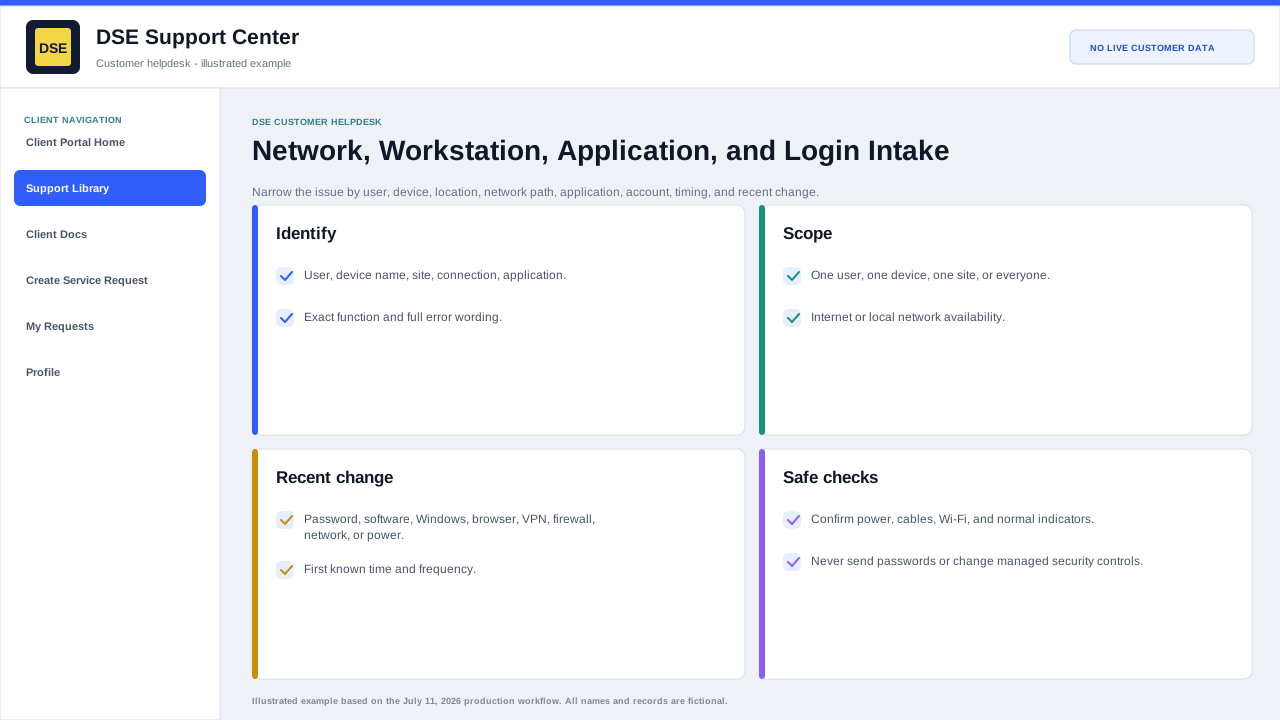
Narrow the issue by user, device, location, network path, application, account, timing, and recent change while keeping passwords and verification codes private.
Production address
https://helpdesk.dsesecurity.com/
Confirm HTTPS and the exact domain before entering account or ticket information.
Visual walkthrough
Open any visual for a full-size reference
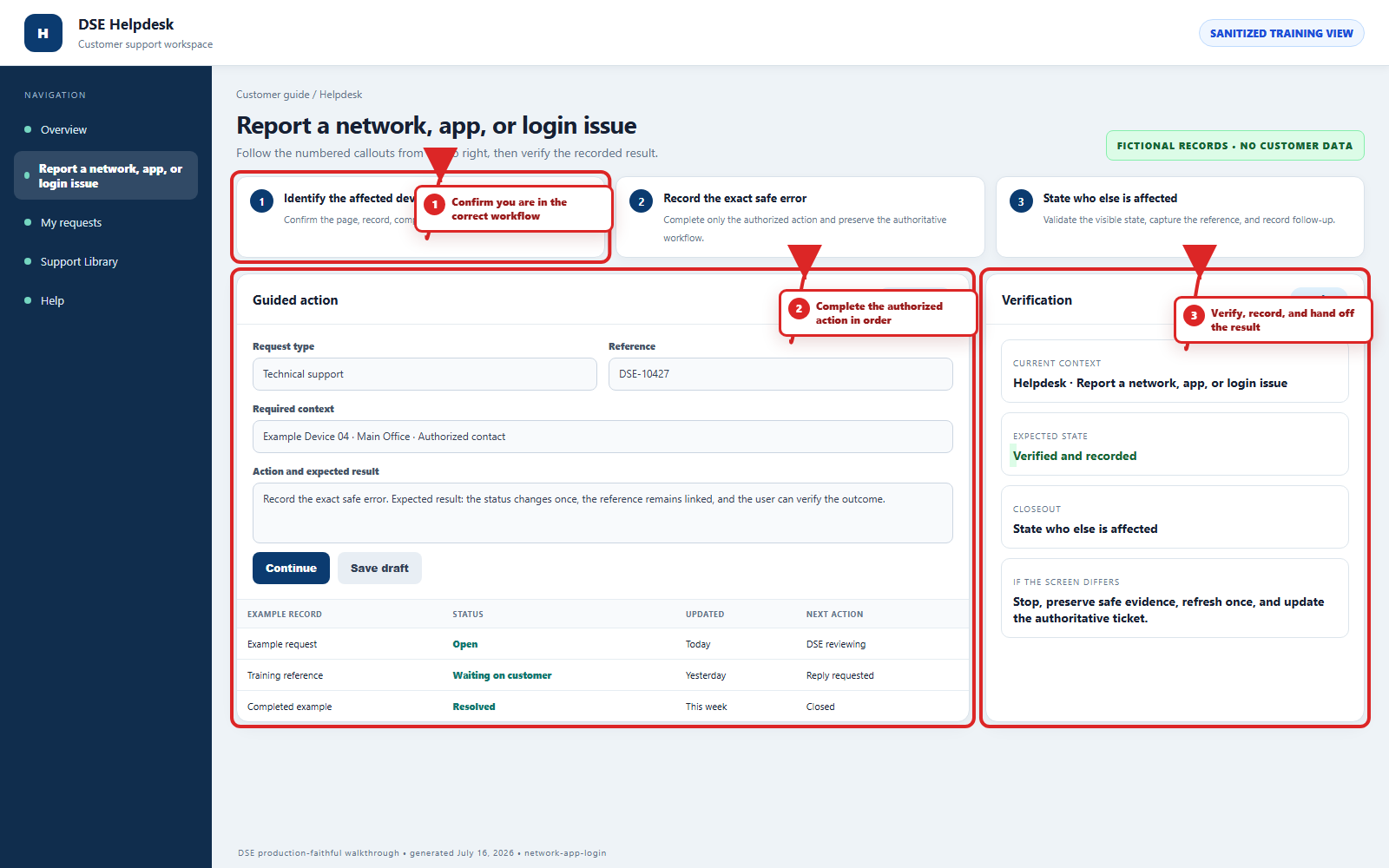
The annotated screenshot uses numbered red boxes and arrows. Read callouts 1, 2, and 3 in order, then return to the written steps below for the complete procedure.
 Open full size
Open full size
Open full size
 Open full size
1
Workflow section 1 of 3
Include these details
-
Affected user, workstation or device name, site, connection type, application, and exact function that fails.
-
The full error wording, first known time, frequency, and whether the issue affects one user, one device, one site, or everyone.
-
Whether general internet or local network access works and whether another authorized user or device has the same result.
-
Recent password, account, software, Windows, browser, VPN, firewall, network, power, or equipment changes.
-
A redacted screenshot and the application, operating system, or browser version when relevant.
2
Workflow section 2 of 3
Safe checks
-
Confirm cables, power, airplane mode, Wi-Fi selection, and normal network indicators without changing managed equipment.
-
Close and reopen only the affected application and try a supported browser when appropriate.
-
Use the approved password-reset path; never send DSE your password or one-time code.
-
Do not uninstall security software, change firewall rules, reset network equipment, or run downloaded tools unless DSE authorizes the step.
3
Workflow section 3 of 3
Finish the troubleshooting intake
-
Review the site, device, user, example time, scope, impact, and safe checks for accuracy.
-
Remove secrets and unrelated customer information from every note, screenshot, photo, and attachment.
-
Submit one complete request and keep the DSE-###### confirmation number.
-
Reply on that ticket with meaningful changes instead of opening a duplicate request.
Final verification
Before you leave this guide
- Confirm context. Recheck the DSE domain, signed-in account, company or site, ticket number, device, and request type shown on screen.
- Confirm the result. Perform one harmless verification and make sure the visible status matches what you expected.
- Keep the reference. Save the DSE-###### ticket number, confirmation, or other safe reference needed to continue the same conversation.
- Stop on a mismatch. Do not repeat a high-impact action. Preserve a safe screenshot, note the time and exact error, refresh once, and update or open the correct DSE ticket.
Content owner: DSE Service Operations. Production reviewed July 16, 2026. Examples and visuals are customer-safe and use fictional data.